Tools
Filters: Sorted by date
Another game experiment - I wanted to see if it was feasible to have a two player game on two separate phones running in static HTML where the networking code uses chirps sent via the microphone. It seems to work!
Build a two player competitive pong like game where two players use their phones close to each other and the game state is sent via audio noises which the web microphone API can interpret - but add graphical and gameplay twists to make it a lot more fun and intertwine than pong
Claude Opus 5.5 Extra in Claude Code.
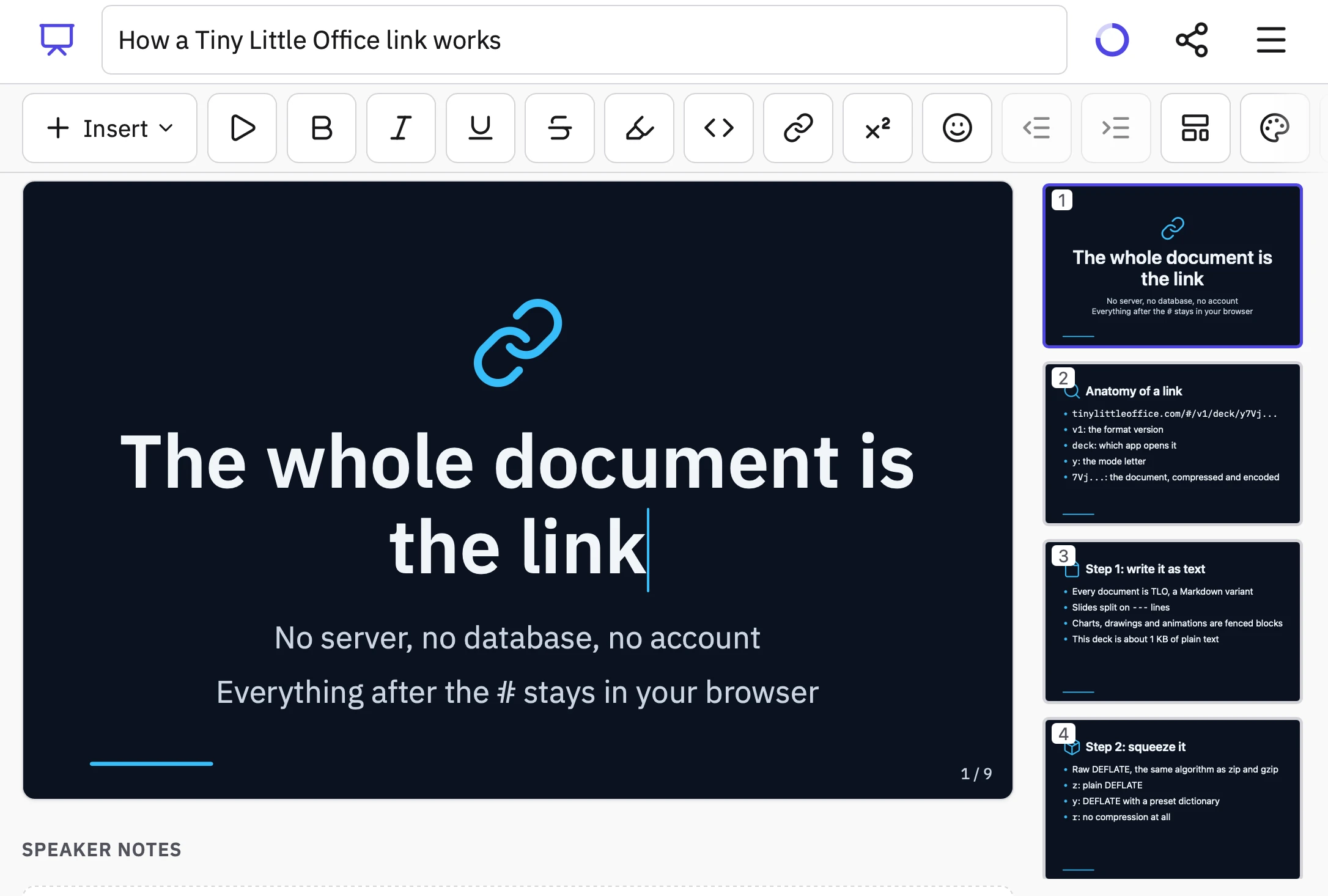
Inspired by Paul Ford and Aboard Foundary's new web app Tiny Little Office, which provides a suite of web app content editors (a Word Processor, Outliner, Presentation Builder, Spreadsheet, Calculator, Drawing Tool, Diagram Maker, Animator, Calendar, and Trip Planner).
Tiny Little Office's signature trick is to store all of the document data in the #fragment section of the URL, so every document created using it becomes a bookmarkable and shareable link.
It also has an llms.txt file telling agents how to construct URLs that will render as documents. Claude used that file to generate this link to a deck that explains how the URL format works:
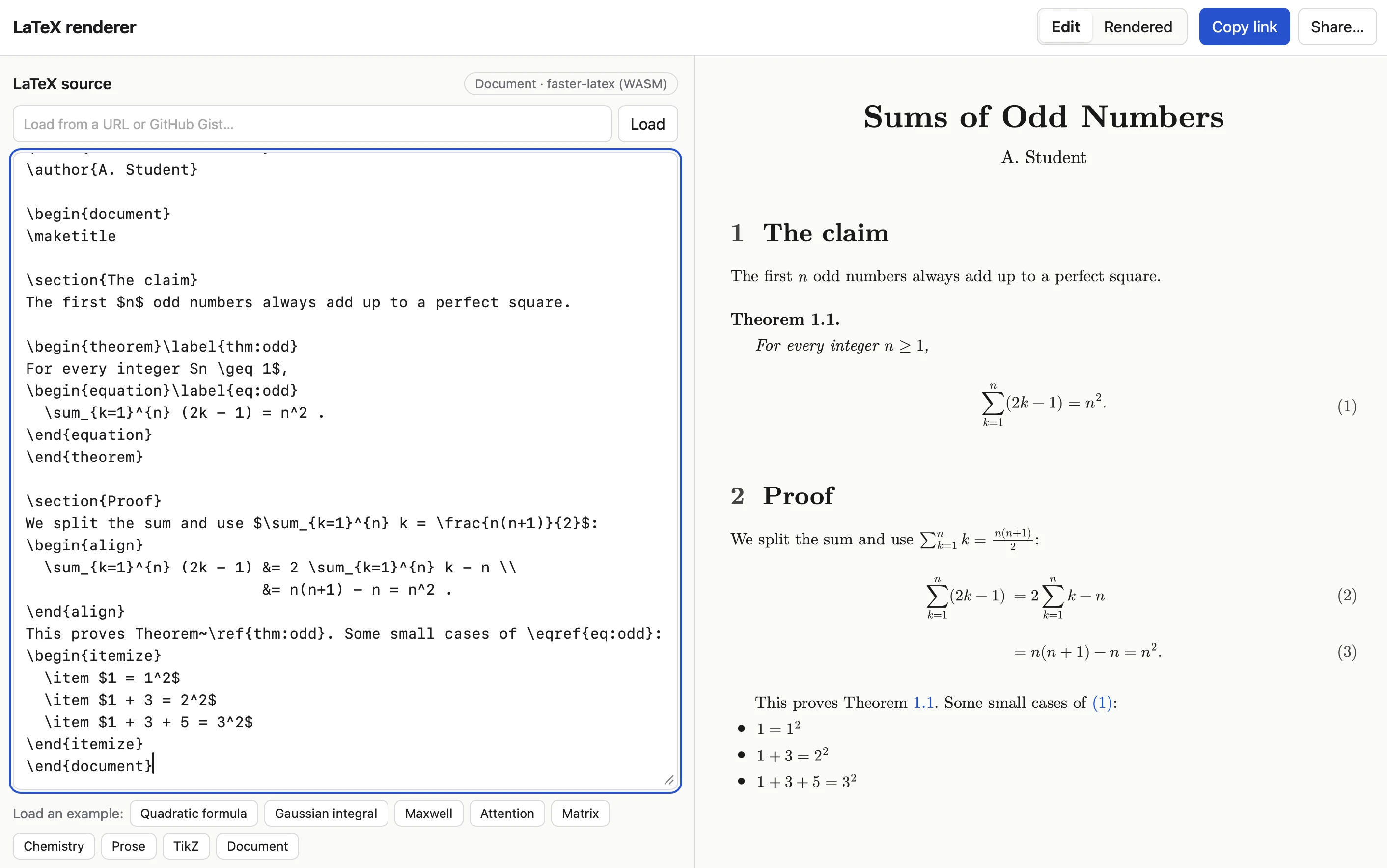
Tiny Little Office inspired me to have Claude Code (Opus 5.5 Extra) build a similar tool that works with LaTeX. Here's the sequence of prompts I used:
I want a tool where you can link to it with a fragment hash #code-here and it treats that code as LaTeX and renders it really effectively. It should also support a prefix which means the latex is compressed with a custom compression dictionary optimized for latex. Use the best available latex render library from a CDN (consider WebAssembly too). If loaded without a fragment hash show an editor you can paste latex into and then toggle to a "rendered" view. That rendered view should be bookmarkable. The #fragment view should let you switch to edit source too.
Since it was working in my tools repo I told it to take inspiration from the <iframe sandbox="..."> mechanism used by my existing SVG in Markdown tool as protection against XSS risks:
Safe from XSS? We could run in an iframe sandbox like we do on the SVG markdown render project
I had it copy the Gist/URL loading feature from that tool as well:
We should have an option to load latex from a URL (or gist) similar to the markdown SVG tool
Here's an example link. The tool uses Pako 2.1.0, MathJax 4.1.3, faster-latex 0.3.1, and DOMPurify 3.4.16.
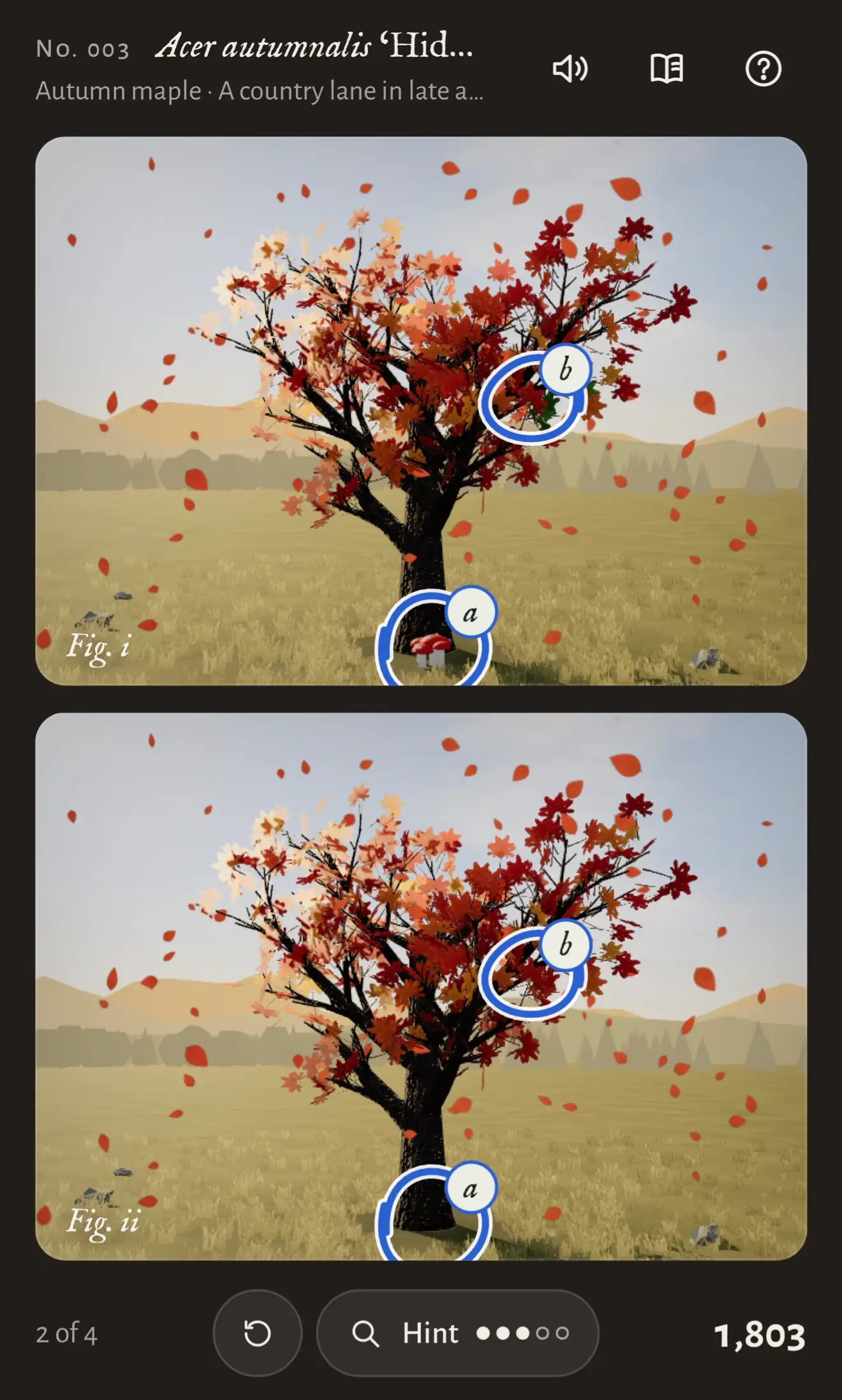
Another game experiment with Claude. This one used the default Claude iPhone app (chat mode, not Claude Code mode), where I prompted Claude Opus 5.5 Max with:
Build a three js game called "Tree appreciator" - it shows you two algorithmically generated trees and the game mechanics is about appreciating the differences between them. Think hard about how to make sure it is both fun and beautiful.
Somewhat embarrassingly given my recent talk, I've found that telling Opus 5.5 "make sure it is fun" works uncomfortably well. In this case Claude crunched for 3 hours and 7 minutes before retuning a cosy little spot-the-difference game with music and animation and achievements that's quite compelling to play.

I wanted to see if Claude Opus 5.5 could compose music, so I tried this:
I want you to write some computer game music for me. First design simple text based format for the music and build an artifact that can play it out loud - include some example tracks in that artifact
I am looking for music of the quality of the original secret of Monkey Island
It leaned a lot harder into the Monkey Island theme than I had intended, but the results are surprisingly good.
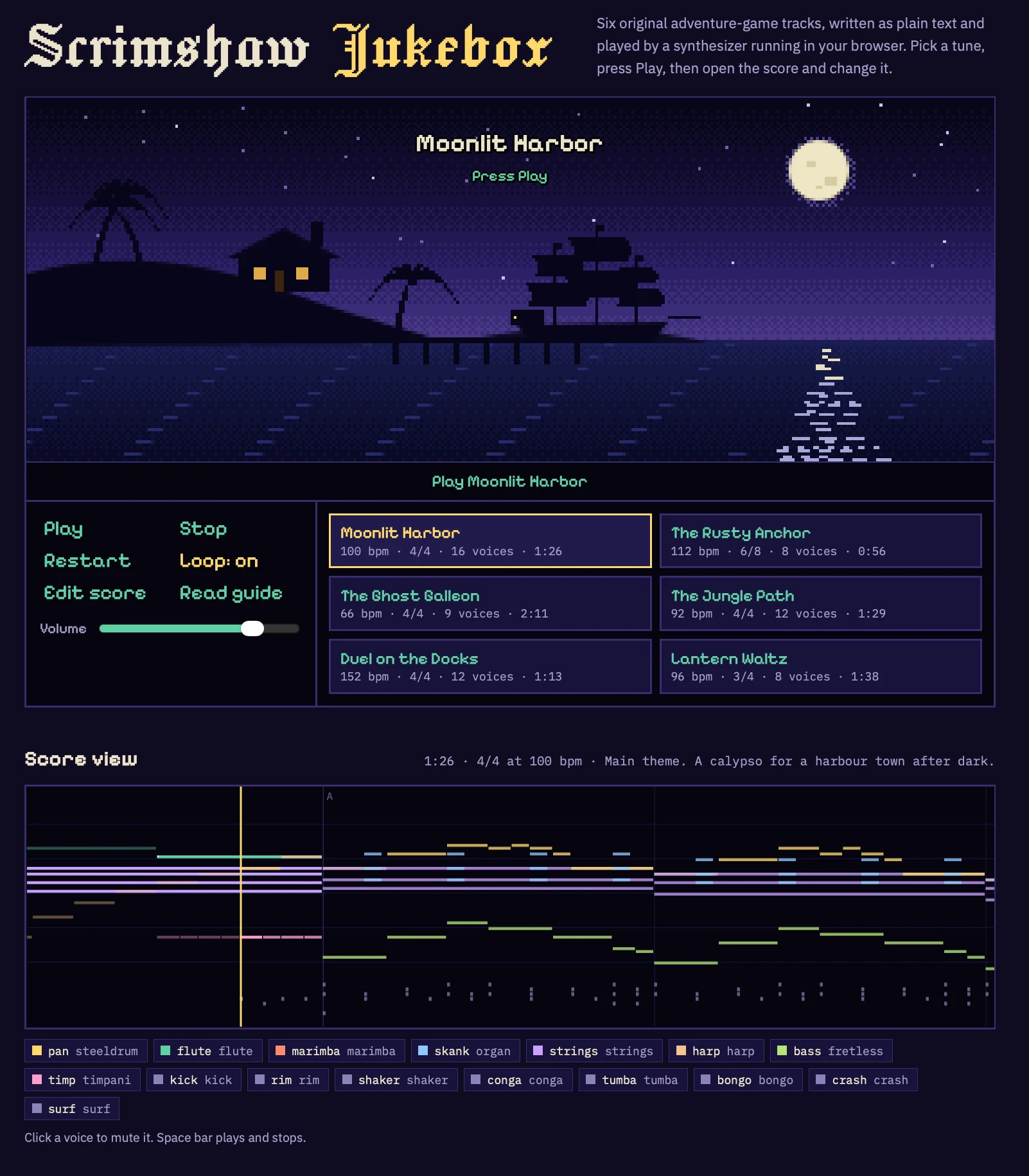
I wonder if the ability to compose competent music is similar to the 3D graphics thing - a new capability for text models that emerged in the past few months?
Would need some careful experiments with other recent and not-so-recent models to confirm if this is new or if they've been able to do this for a while.
I took a photograph of some protesters, then thought about how I don't like sharing photographs of strangers with identifiable faces. I had GPT-6 Astra build this experimental tool that would identify faces and automatically blur them out.
It uses Google's MediaPipe C++ library, compiled to WebAssembly via @mediapipe/tasks-vision, plus the BlazeFace face detection model.
Automated reply bots on Twitter are a scourge - as someone with a decent number of followers I attract a swarm of these, such that anything I post there attracts dozens of mindless automated replies.
They've started manifesting on Bluesky as well.
Unlike Twitter, Bluesky still has a freely available and useful API. The lack of such a thing doesn't slow down the bots, but it does make investigating them a lot more frustrating.
So I had Opus 5.5 vibe code this tool, which examines any Bluesky profile for evidence of a likely reply bot.
It looks for signals like replies posted within seconds of other posts from the same account, or accounts that never post their own content (or images or links) but instead consistently reply to messages from other, higher-follower users.
It also looks for question marks, because I'm extra infuriated by reply bots that trick me into wasting my time answering a question that no human ever posed.
I presented a closing keynote for the WeAreDevelopers World Congress North America yesterday. As a STAR moment I decided to weave in references to the record breaking kākāpō breeding season we had in 2026.
For my closing slide I wanted to celebrate, and I had seen some buzz around how good Claude Opus 5.5 was at creating pixel art animations. So I rounded up three Kakapo photos from Google image search and dropped them into Claude with this prompt:
Here are some photos of kakapo parrots just to remind you what they look like
I need you to make an animation in animated pixel art on HTML 5 canvas of obviously pixel art kakapo jumping up and down having a party with confetti and suchlike - there should be at least 20 of them
Here's the transcript, and this is the resulting page. It's pretty great!
I wanted to embed it in a Keynote presentation file, so I downloaded the HTML and told a local Claude Code session:
Make me a video of file:///Users/simon/Downloads/kakapo-party.html - you need to load it in a browser and click on it a few times to get the confetti effect, the video should be 15s long
don't start clicking until 3s in
make sure several clicks are spread around the clickable area
Claude Code used Playwright (transcript here) and produced this video, which was exactly what I needed for my final slide:
Here's the full Playwright script it used, which was pleasingly short:
# /// script
# dependencies = ["playwright"]
# ///
import time
from playwright.sync_api import sync_playwright
W, H = 1280, 720
# Canvas fills the viewport; spread clicks across corners, edges and centre
clicks = [
    (3.0, 640, 360),   # centre
    (4.2, 160, 120),   # top-left
    (5.4, 1120, 120),  # top-right
    (6.6, 180, 600),   # bottom-left
    (7.8, 1100, 600),  # bottom-right
    (9.0, 640, 100),   # top-centre
    (10.0, 380, 380),  # mid-left
    (11.0, 900, 380),  # mid-right
    (12.2, 640, 620),  # bottom-centre
    (13.2, 640, 300),  # finale centre
]
with sync_playwright() as p:
    b = p.chromium.launch()
    ctx = b.new_context(viewport={"width":W,"height":H}, record_video_dir="vids", record_video_size={"width":W,"height":H})
    page = ctx.new_page()
    t0 = time.time()
    page.goto("file:///Users/simon/Downloads/kakapo-party.html")
    for t,x,y in clicks:
        time.sleep(max(0, t-(time.time()-t0)))
        page.mouse.click(x,y)
    time.sleep(max(0, 16.0-(time.time()-t0)))
    ctx.close(); b.close()
Google released two new Gemini text-to-speech models today - gemini-3.8-flash-tts and gemini-3.8-flash-lite-tts.
They come with a library of over 2,000 voices, plus the ability to create a custom voice with "just a 30-second audio sample of your voice or a voice you have the rights to use".
I vibe coded this bring-your-own-key playground interface with GPT-6 Astra, taking advantage of the open CORS policy of the underlying Gemini API.
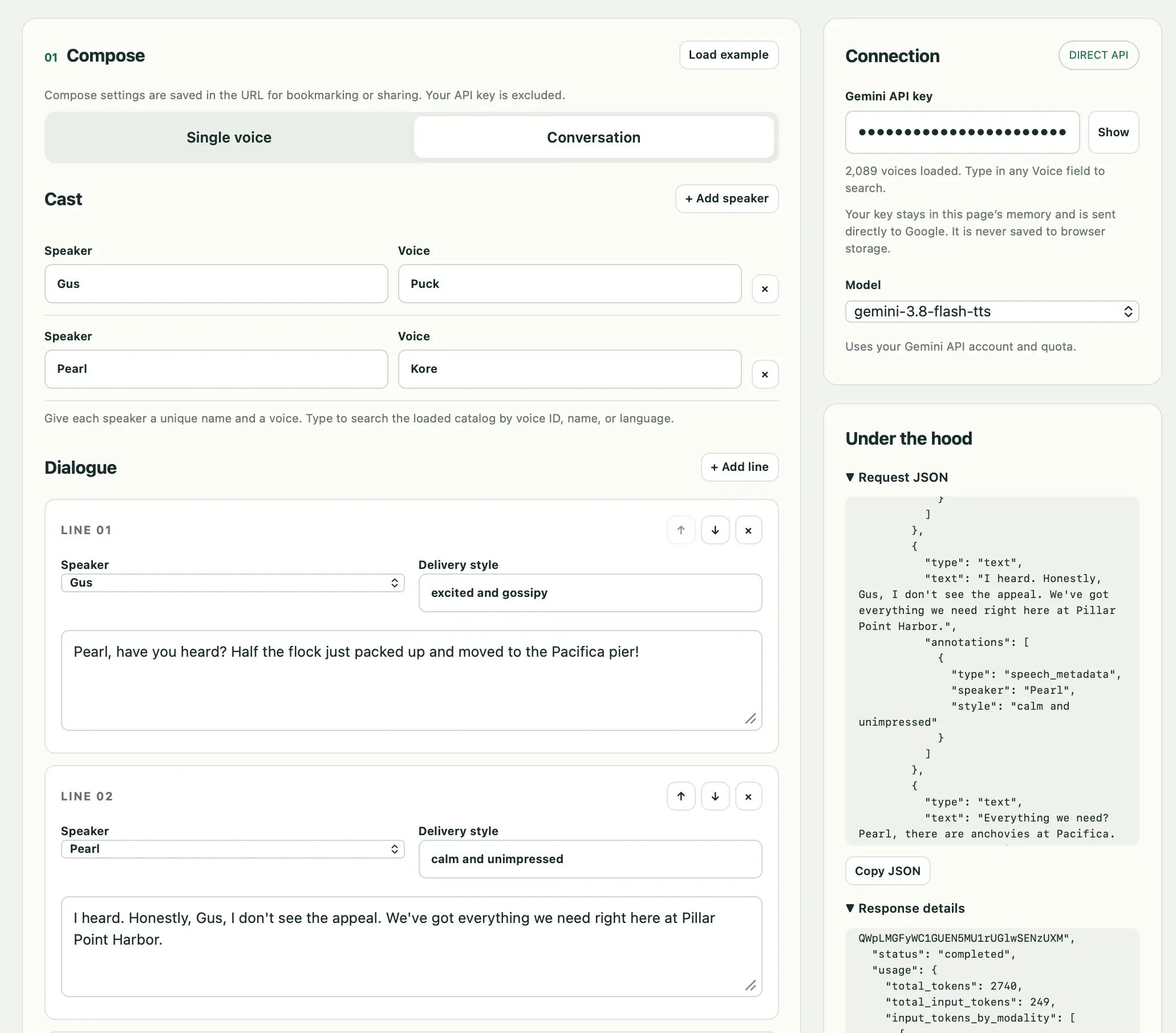
A notable feature of the API is that it makes it easy to define a full conversation between multiple characters, each with different voices and voice style instructions.
Here's a short demo clip of a conversation between two pelicans debating if they should move to the Pacifica Pier. I had Claude 4.5 Opus write the script and generate a URL to render it using the tool.
It took ~20 seconds to generate 1m 18s of audio using Gemini 3.8 Flash TTS (not the cheaper Flash-Lite), at a cost of 2.74 cents.
Prompt to Fable 5.1 Medium:
Build an artifact to explain shadow roots in CSS with interactive examples
Google released Gemini 3.8 Live and 3.8 Live Extended Thinking today - two new speech-to-speech models that are a similar shape to OpenAI's GPT-Live family.
I pointed GPT-6 Astra Extra High at the documentation and had it build me this web UI for trying out the new models. You can select a model and voice preset, enter an optional system prompt and then start a voice conversation through your browser, including the ability to interrupt the model while it is talking.
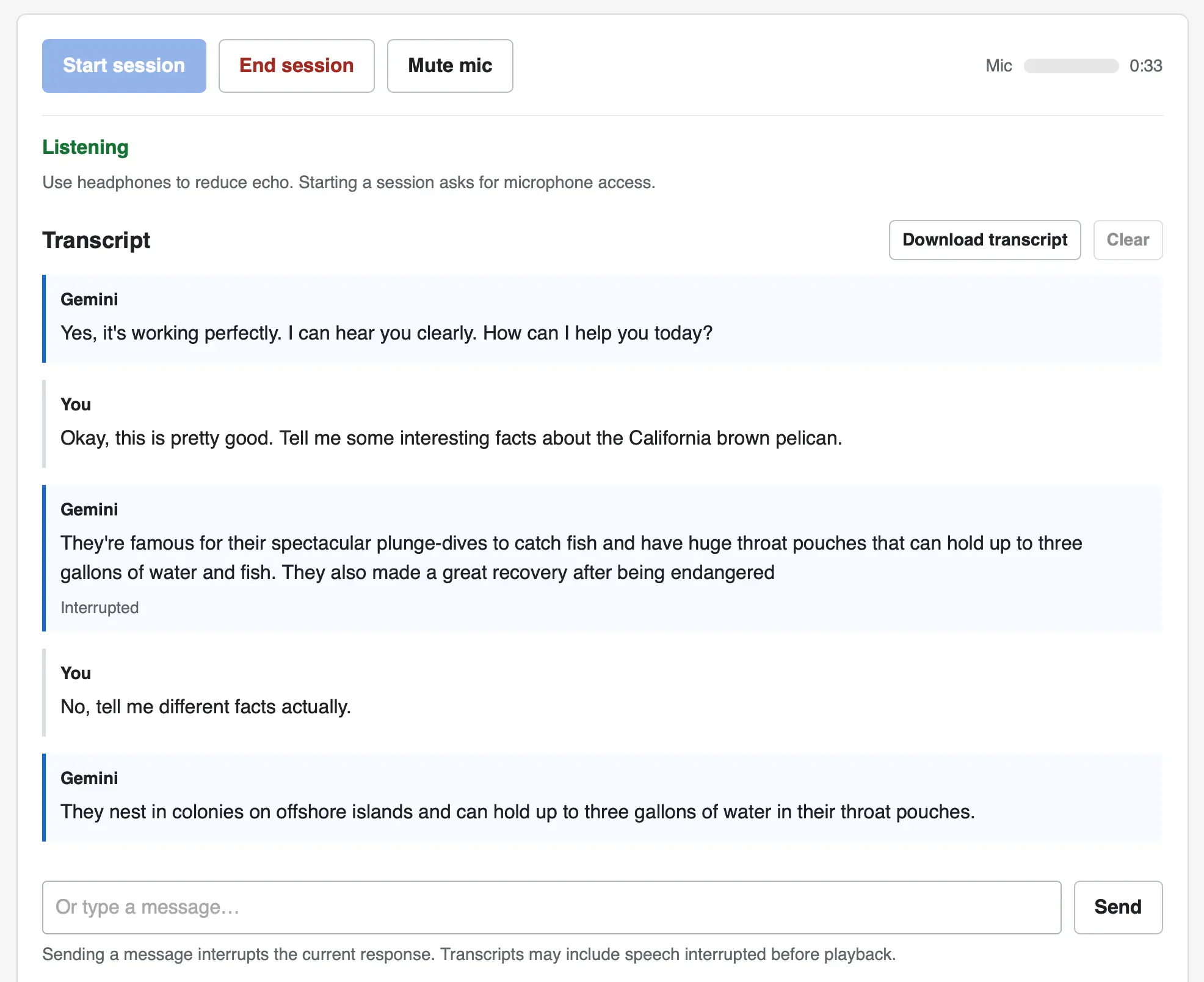
The implementation uses no libraries. It connects to the wss://generativelanguage.googleapis.com/ws/google.ai.generativelanguage.v1alpha.GenerativeService.BidiGenerateContent?key=... WebSocket endpoint and uses a Web Audio API AudioContext for both capture and playback.
Here's the Gemini Live tutorial for getting started with that WebSockets API.
I'm continuing to have a lot of fun with GPT-6 Astra and Blender (see my TIL).
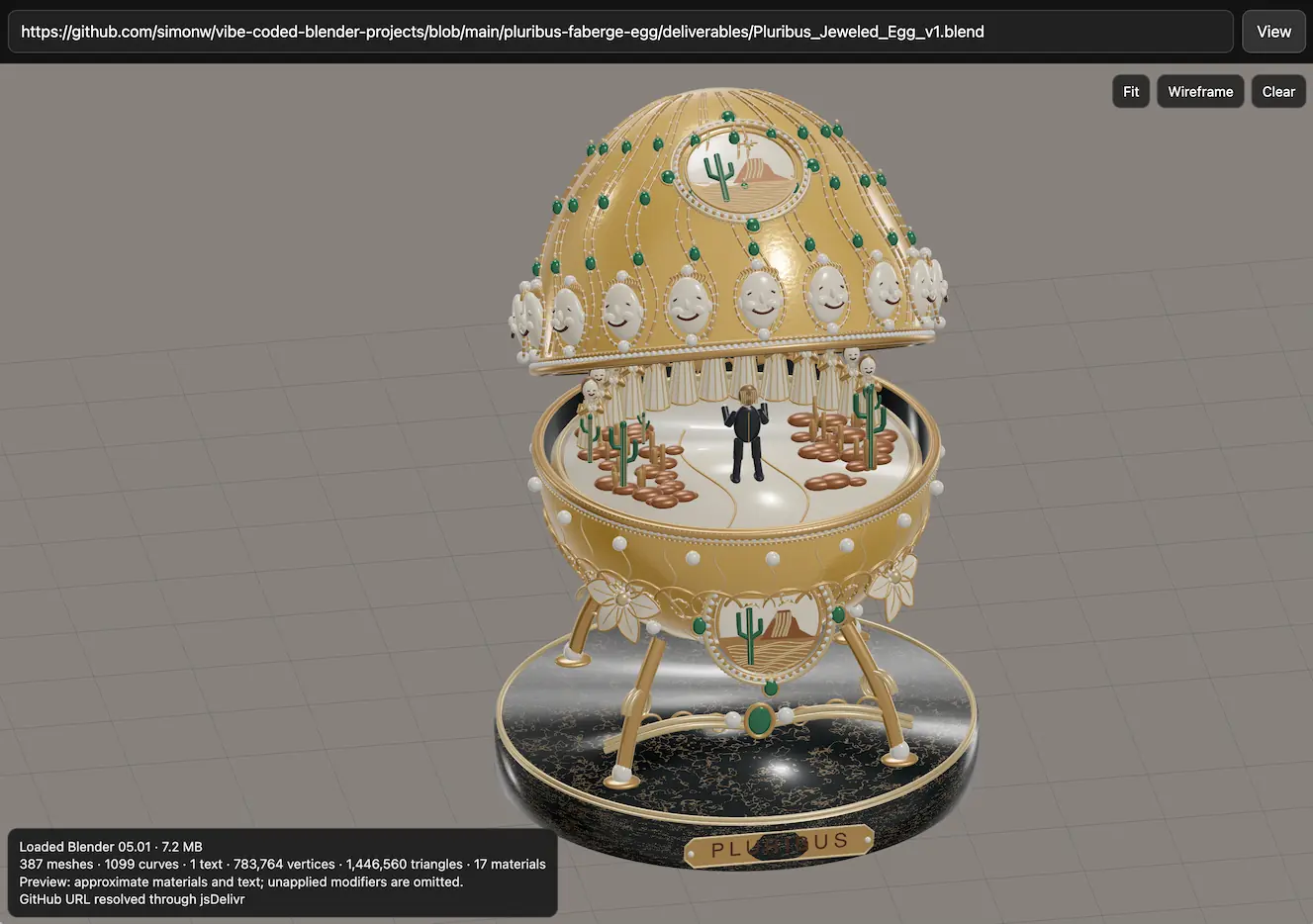
As a big fan of the Imperial Fabergé Easter eggs, I've always thought it would be fun to make some new ones that celebrate popular culture.
Yesterday I decided to try out the new ChatGPT Images 2.5 by running this prompt:
Generate a photo of a faberge egg that's themed after the TV show Pluribus - research first
It gave me this - honestly not bad for a first attempt!

Then, just to see what would happen, I pasted that image into Codex running GPT-6 Astra (high) and prompted:
Use your blender local skill to create a blender model of this faverge egg
(Here's the skill file, which I created like this.)
It churned away for 17m51s and built me several .blend files. I already had this vibe-coded Blender viewing experiment lying around, so I added that to my tools collection and now you can use it to see my Pluribus blender model in your browser:
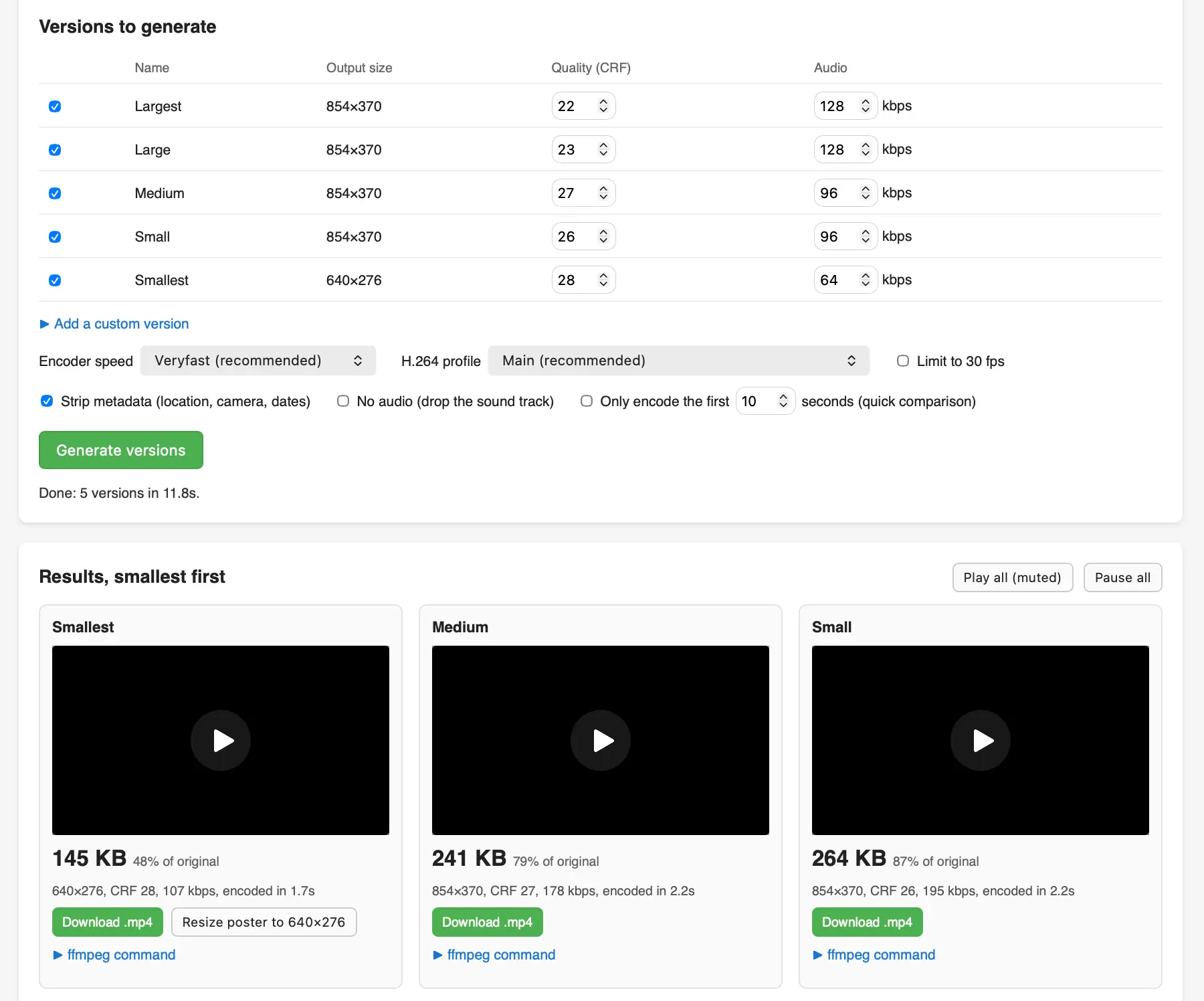
I recorded a short demo video of my Equal Earth animation on my phone and wanted to publish an optimized version of that video (using FFMPEG) on my blog, so I had Claude Fable 5.1 in Claude Code for web build me this tool using the WebAssembly build of FFMPEG.
I got curious about the Equal Earth map projection that was recently voted on at the UN so I had GPT-6 Astra (medium) in ChatGPT Work build me this animated transition between Mercator and Equal Earth using D3.
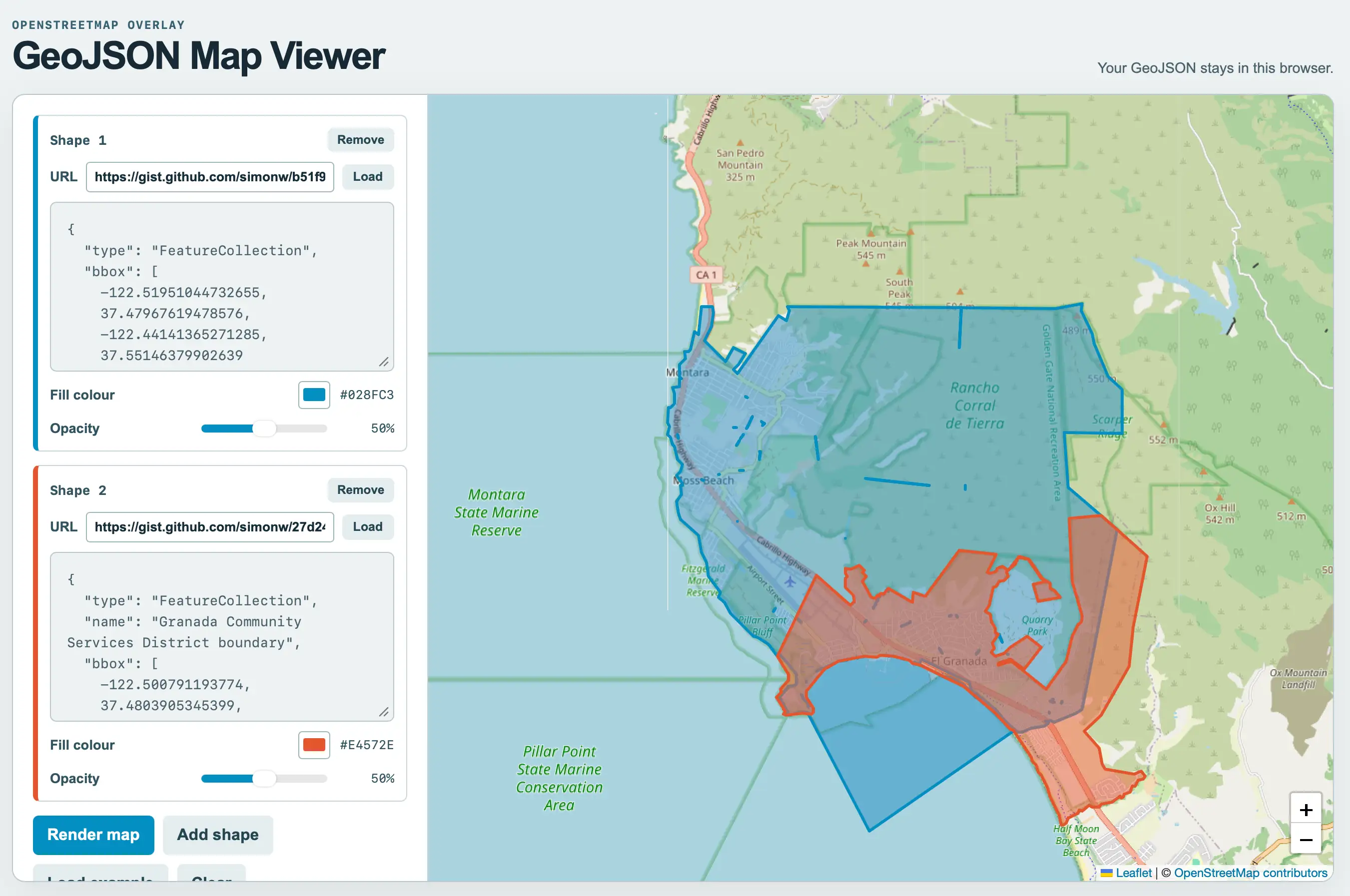
I was helping Natalie gather some maps of local political boundaries (for the Granada Community Services District and the Midcoast Community Council) and found a need to display some GeoJSON files on a map and export that as a PNG. I asked GPT-5.6-Sol for suggestions of tools and it proactively built one. After some iterations using Claude Code for web and Fable 5.1 we got to this finished tool.
As for the GeoJSON.. it turns out if you ask ChatGPT Work to provide boundaries for almost anything it will churn away extracting and combining files from different Government data sources and build exactly what you need.
I got this polygon from:
I want a polygon that represents the exact boundary of the El Granada GCSD
And this one from:
Get me a GeoJSON file for the boundary (or boundaries if that makes sense) for the MCC - Midcoast Community Council - that operates near Half Moon Bay CA
Here's a link that displays both of them at the same time on the new GeoJSON map viewing tool.
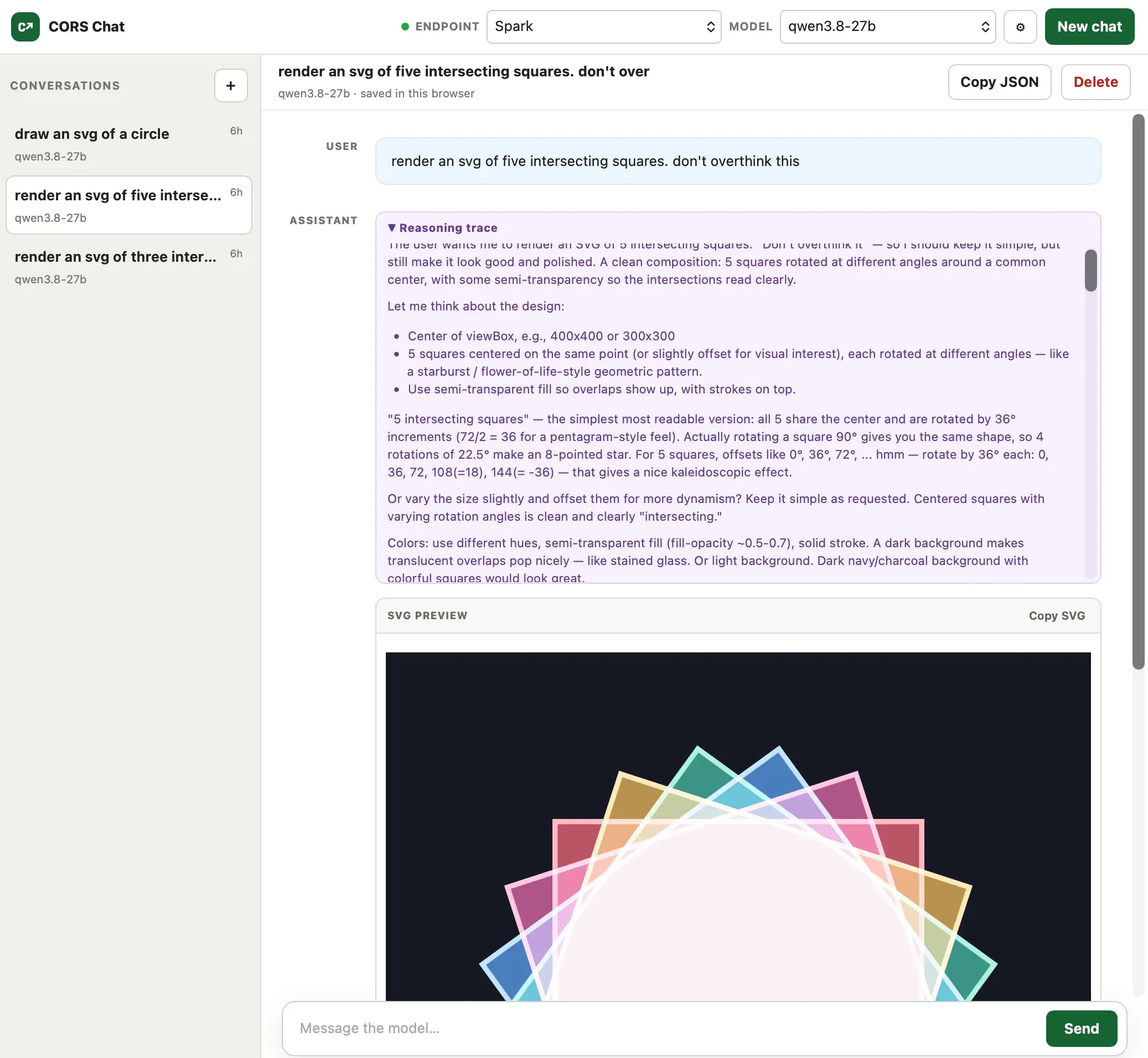
I built this today (with GPT-5.6-Sol xhigh) to help test Qwen 3.8 27B running in LM Studio on both my M5 MacBook Pro and an NVIDIA DGX Spark.
It provides a web UI for exercising an OpenAI-Responses-compatible chat endpoint. I've tried it against LM Studio with the --cors option and OpenRouter, and both work fine.
Conversations are persisted in the browser and can be exported as copy-pasted JSON. One fun detail is that it notices SVG images that are being generated and progressively renders them in the chat while the tokens are still streaming in.
I wanted to create a new Slack emoji, and their tool recommends a square that's 128x128 and has a transparent background... so I had Fable build me this simple image editor against those requirements.
Julia Evan's, in Learning a few things about running SQLite:
Maybe one day I’ll learn to read a query plan.
Big same.... which inspired me to have Fable build this interactive explain tool, which runs SQLite in Python in Pyodide in Web Assembly in the browser and adds a layer of explanation to the results of both EXPLAIN and EXPLAIN QUERY PLAN.
Approach with caution, since I don't know enough about SQLite query plans to verify the results myself, but it seems cromulent enough to me.
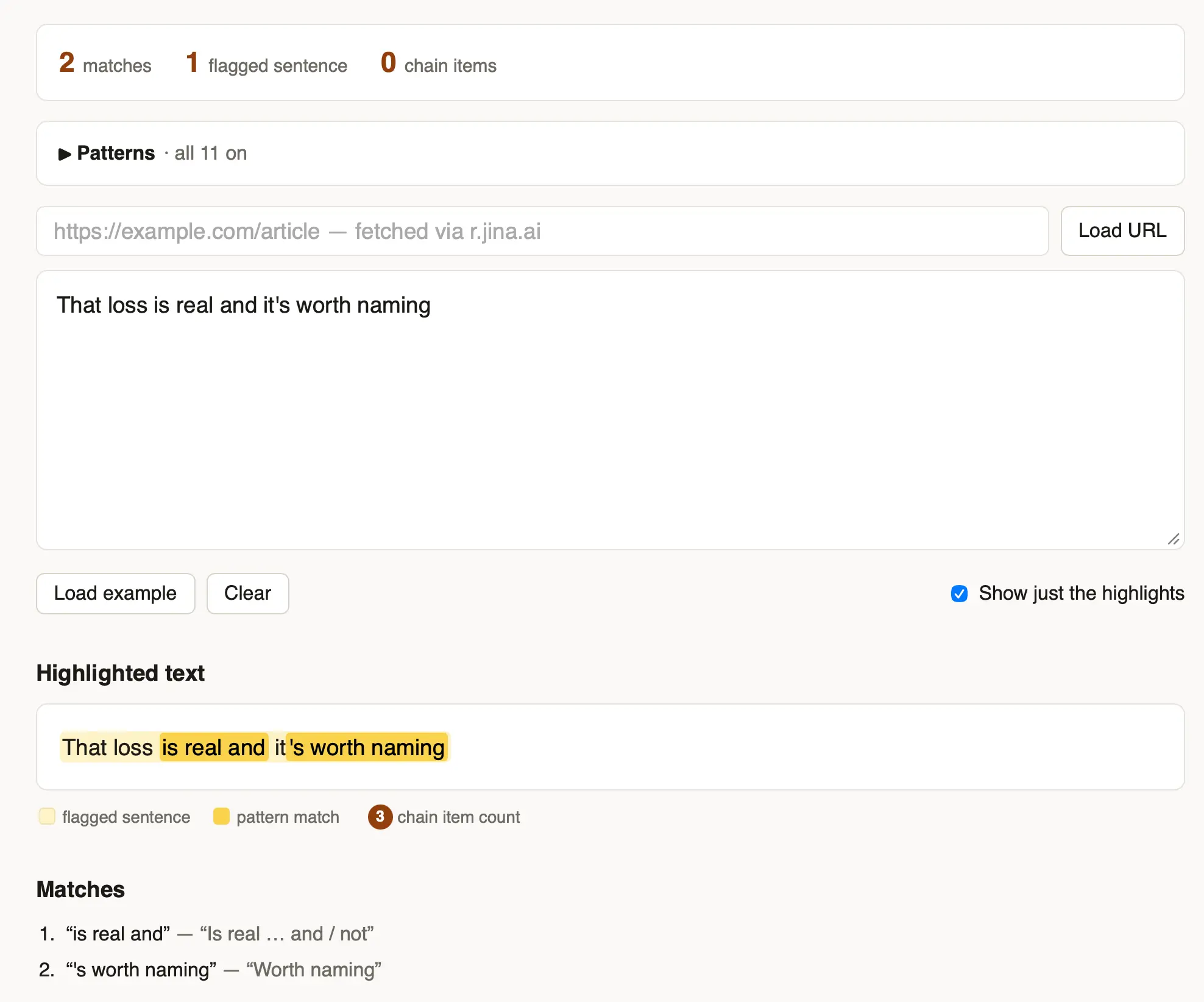
I got frustrated reading yet another article that was crammed with the clichés of LLM-generated writing - "no fluff, no filler, no jargon" type stuff - so I had Fable 5 vibe code up this app for highlighting ten common patterns that show up in that sort of writing.
After building the Mermaid to ASCII tool based on Grok Build's Rust code I learned that there's an older, more fully-featured Go library called AlexanderGrooff/mermaid-ascii that implements a similar pattern, so I had Claude Fable 5 compile that one to WebAssembly as well so I could compare the two.
This one includes support for colors!
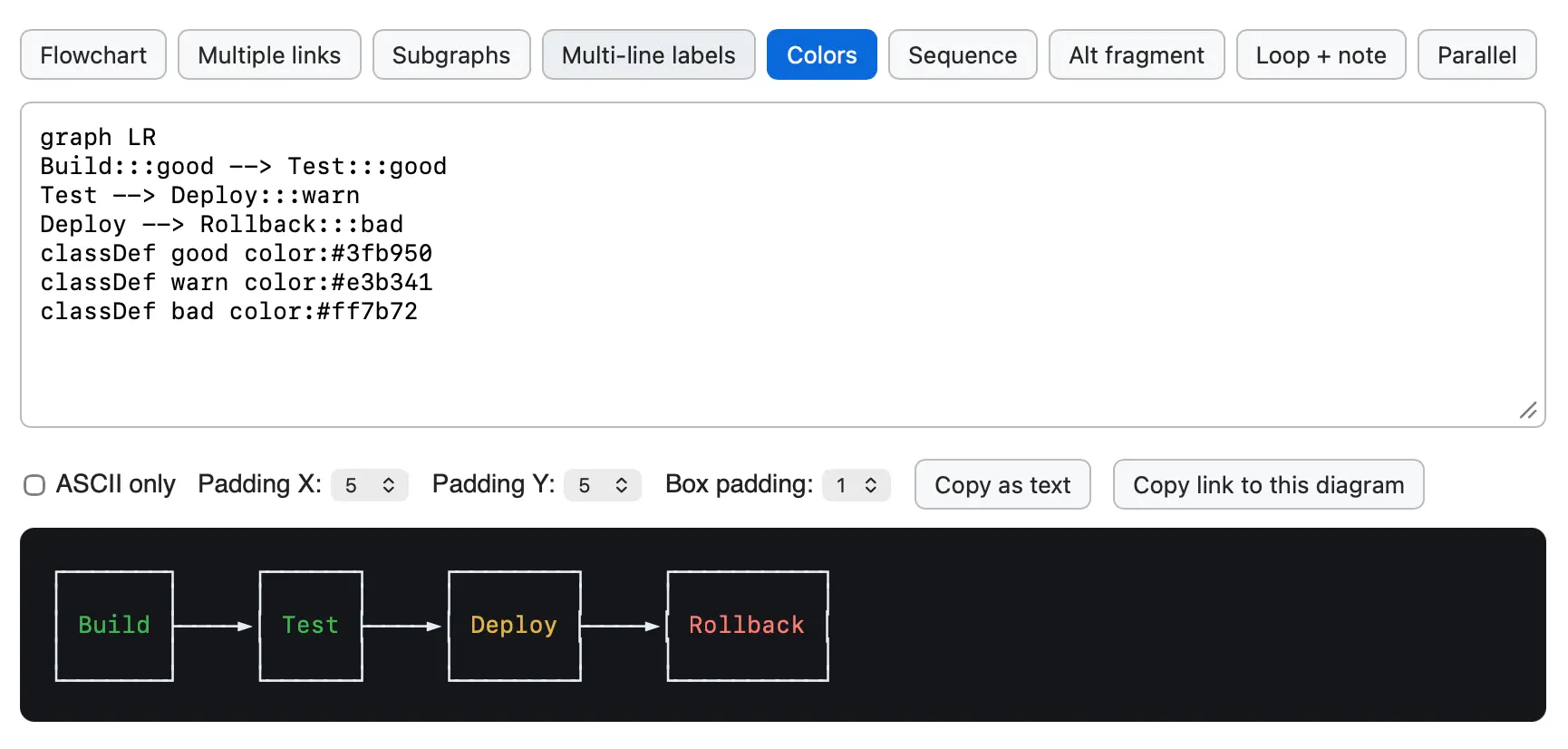
While exploring the codebase for the newly open-sourced Grok CLI coding agent I came across xai-grok-markdown/src/mermaid.rs, a "self-contained terminal renderer for Mermaid diagrams" written in Rust.
I figured it would be fun to try that out in a browser via WebAssembly. Here's the prompt I ran in Claude Code for web (Fable 5), and this is what the resulting tool looks like:
![Screenshot of a Mermaid diagram editor showing source code and rendered flowchart. The code reads: graph TD Start[Request received] --> Auth{Authenticated?} Auth -->|yes| Rate{Rate limit OK?} Auth -->|no| R401[401 Unauthorized] Rate -->|yes| H(Handle request) Rate -->|no| R429[429 Too Many Requests] H -.-> Log[Audit log] H ==> Resp[200 OK]. Below the code are controls labeled Max width: Fit output panel, Copy as text, and Copy link to this diagram. The rendered flowchart on a dark background flows top-down: Request received leads to Authenticated?, which branches yes to Rate limit OK? and no to 401 Unauthorized. Rate limit OK? branches yes to Handle request and no to 429 Too Many Requests. Handle request connects with a dotted arrow to Audit log and a thick arrow to 200 OK.](https://static.simonwillison.net/static/2026/grok-mermaid-wasm.png)
An experimental Web Component built using GPT-5.5 and the following prompt:
let's build a Web Component for embedding code from GitHub
<github-code href="https://github.com/simonw/sqlite-ast/blob/437c759129154f05296324a7f82aa1246340dd14/sqlite_ast/parser.py#L9-L18"></github-code>
It takes URLs like that, converts them to https://raw.githubusercontent.com/simonw/sqlite-ast/437c759129154f05296324a7f82aa1246340dd14/sqlite_ast/parser.py, then uses fetch() to fetch them and displays the specified range of lines - with line numbers, no syntax highlighting though
Show me a preview web browser so I can see your work
Here's what it looks like embedded on this page:
Yet another in my growing collection of paste-conversion tools. This one accepts pasted rich text from browsers (with embedded HTML tables) and converts every detected table into HTML, Markdown, CSV, TSV, or JSON.
Try it out by selecting everything on the Wikipedia List of cities and towns in the San Francisco Bay Area page and pasting it directly into the tool:
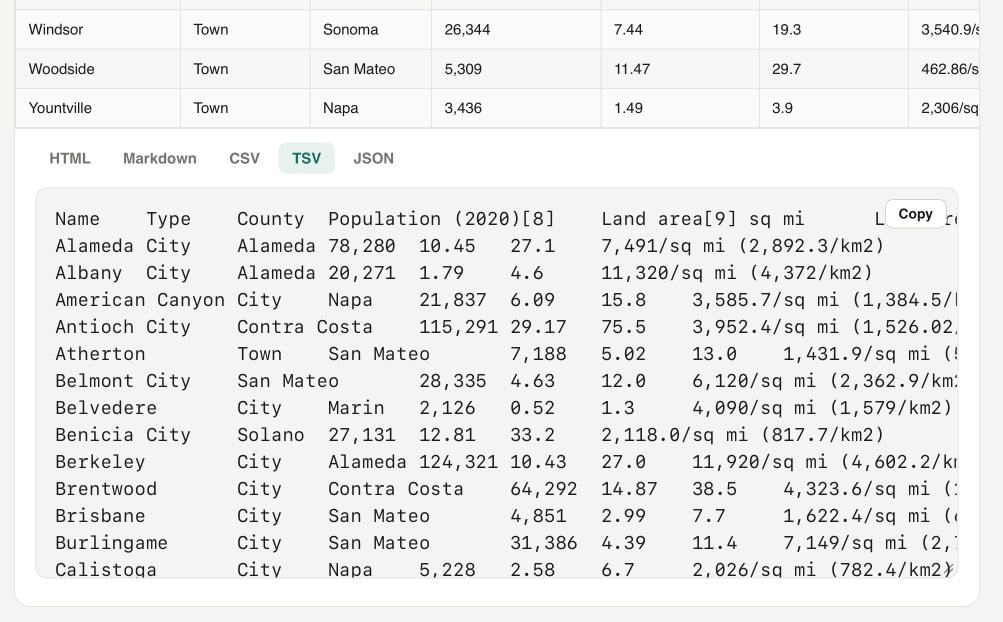
On a similar note, I recently rebuilt my Rich text to markdown tool to add support for tables and generally improve the UI.
Update: It turns out Wikipedia has an open CORS API for retrieving the full rendered HTML content of any page - demo here - so I had Codex add the ability to search Wikipedia for a page and then automatically import and display any tables from that page.
I've been pondering if Datasette Lite - the Python Datasette application run entirely in the browser using Pyodide and WebAssembly - might be able to edit persistent SQLite files stored on the user's computer.
That's what OFPS (Origin Private File System) is for, so I had Claude Code for web build me this playground UI to try it out in different browsers.
A progressive enchantment Web Component that turns this markup:
<click-to-play>
  <a href="URL to GIF">
    <img src="URL to first frame" alt="...">
  </a>
</click-to-play>
Into a still frame with a click to play button which loads the GIF on demand. For when you don't want big GIFs to be loaded unless people want to play them.
Here's an example that demonstrates the new row editing tools in Datasette - in fact I built this Web Component for that post.
I really like how you can paste a large volume of text into claude.ai (or the Claude desktop/mobile apps) and it will detect it as a large paste and turn it into a file attachment instead.
I decided to have Codex desktop build me a version of that as a prototype.
You can also open files directly - including images which will be shown as thumbnails - or drag files onto the textarea.
A slightly customized Markdown rendering tool with special treatment for fenced code SVG blocks - it both renders the image and provides a tab for switching to the code view.
You can paste in Markdown or give it a URL to a CORS-enabled Markdown file or Gist. Here's an example where it loads a Markdown file full of LLM pelican logs for Opus 4.8.
Via Hacker News I learned that UK publisher Usborne published free PDFs of their 1980s Computer Books, some of which I remember working through on my Commodore 64 as a child.
These were so great! Beautifully illustrated books with fun projects made up of code you could type into your own machine.
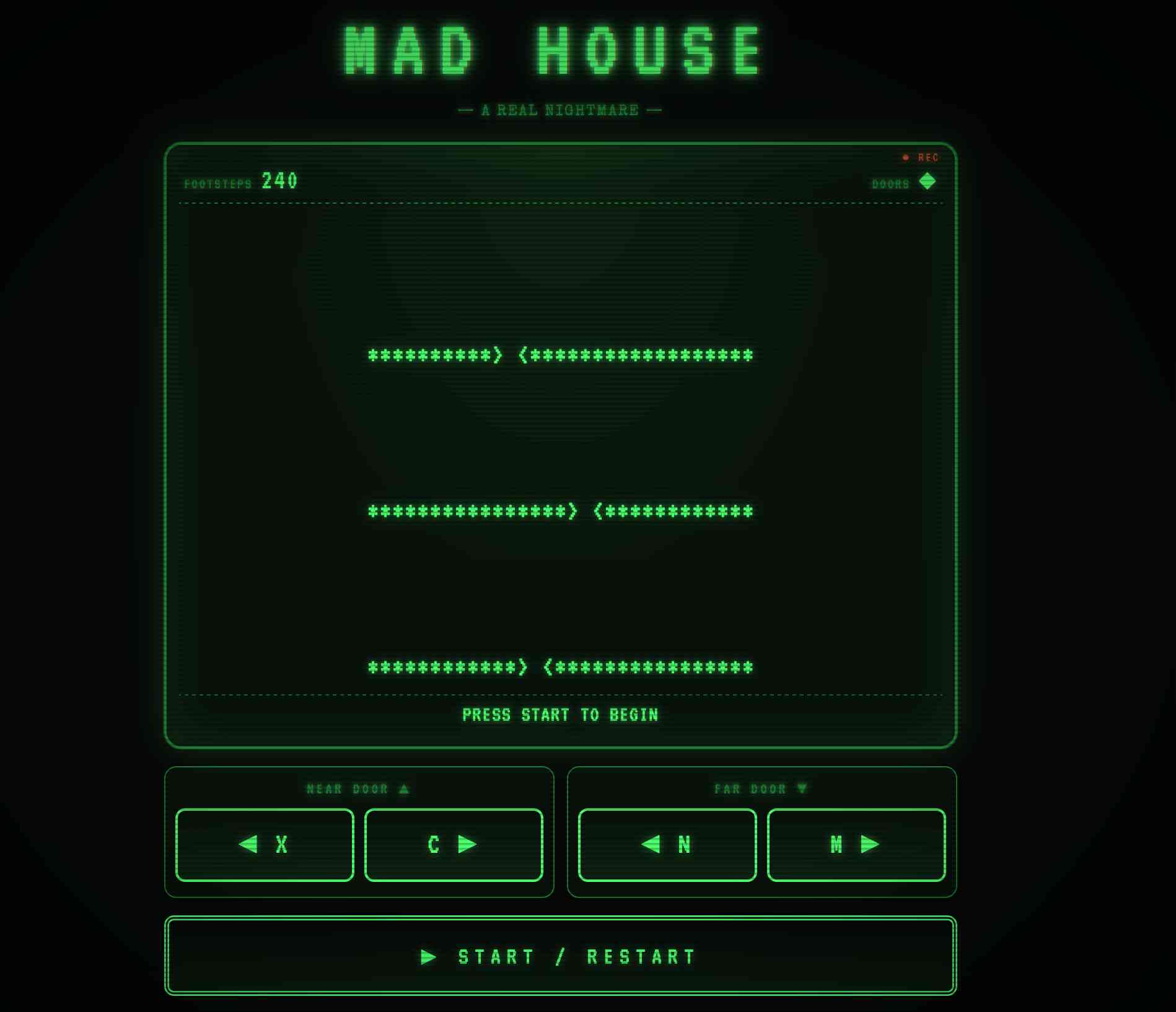
I remember playing "Mad House" typed in from the 1983 book "Creepy Computer Games", so I fed that PDF into Claude and had it build an interactive version of that game in JavaScript and HTML:
Build a vanilla JS artifact that exactly recreates the game Mad House from this book, make sure it's mobile friendly and has a suitable retro aesthetic
Credit the book title and link to https://usborne.com/us/books/computer-and-coding-books
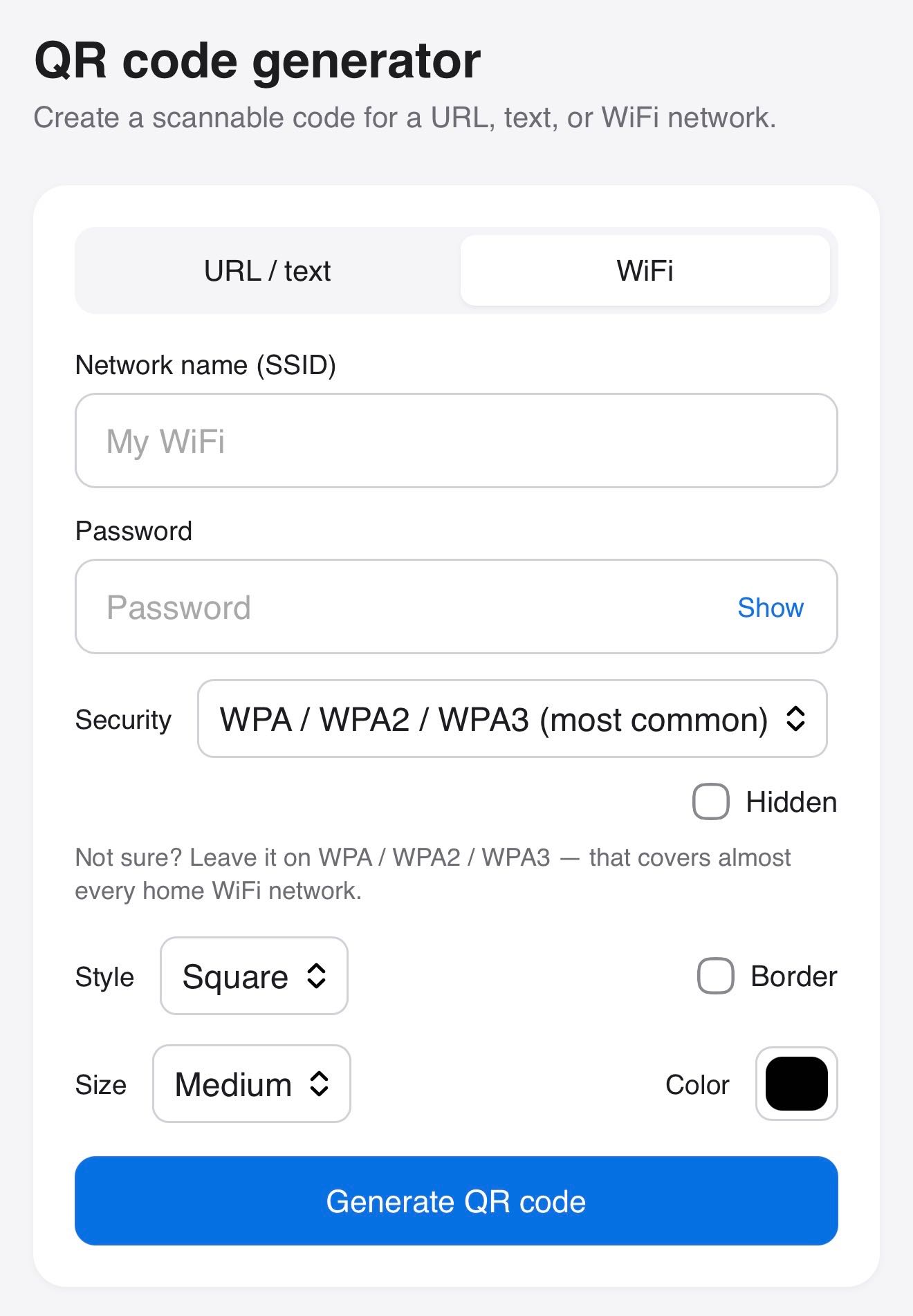
Claude helped me build this tool for creating QR codes, for both text/URLs and for connecting to WiFi networks.