Elsewhere
Release TIL Research Tool Museum Sighting
Filters: Sorted by date
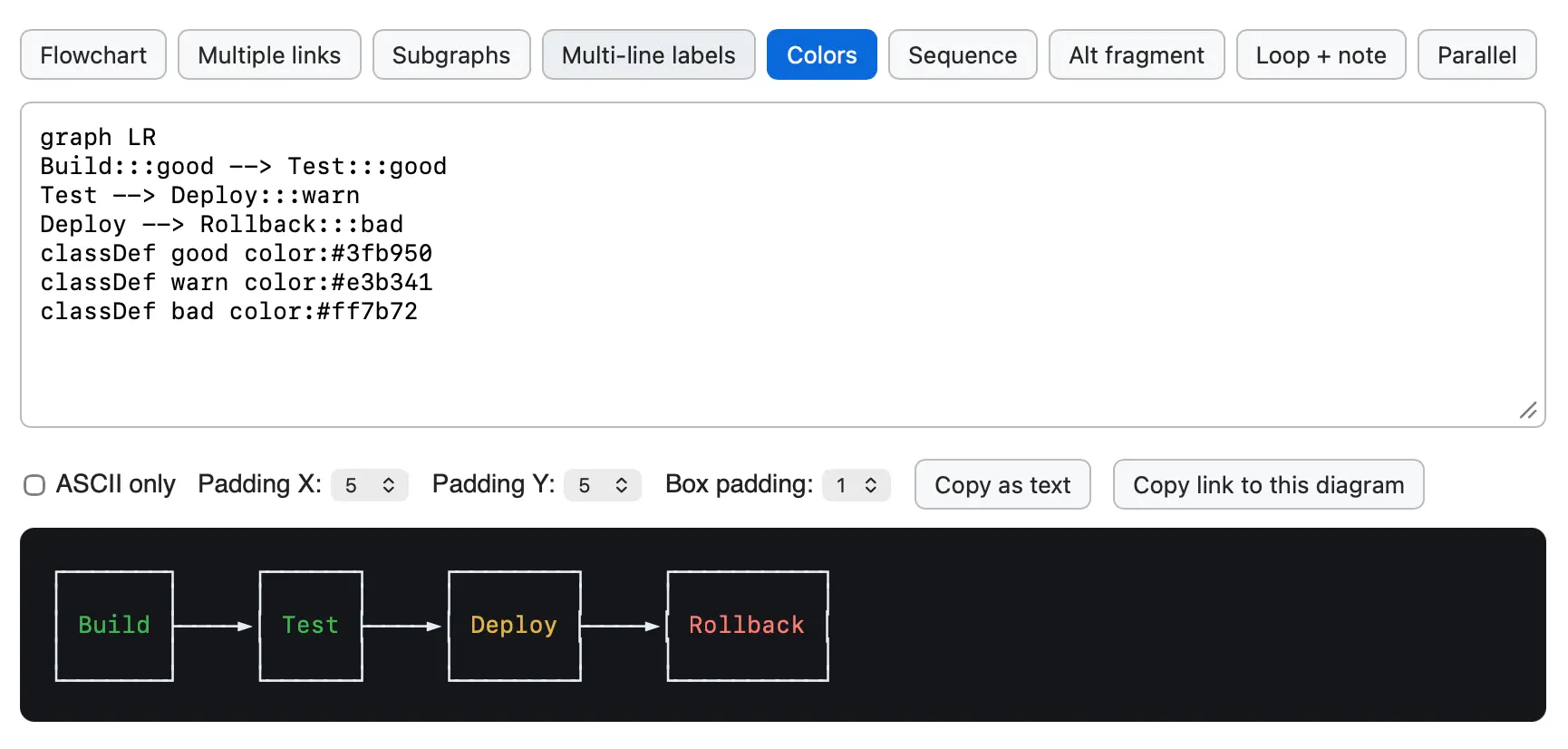
After building the Mermaid to ASCII tool based on Grok Build's Rust code I learned that there's an older, more fully-featured Go library called AlexanderGrooff/mermaid-ascii that implements a similar pattern, so I had Claude Fable 5 compile that one to WebAssembly as well so I could compare the two.
This one includes support for colors!




While exploring the codebase for the newly open-sourced Grok CLI coding agent I came across xai-grok-markdown/src/mermaid.rs, a "self-contained terminal renderer for Mermaid diagrams" written in Rust.
I figured it would be fun to try that out in a browser via WebAssembly. Here's the prompt I ran in Claude Code for web (Fable 5), and this is what the resulting tool looks like:
![Screenshot of a Mermaid diagram editor showing source code and rendered flowchart. The code reads: graph TD Start[Request received] --> Auth{Authenticated?} Auth -->|yes| Rate{Rate limit OK?} Auth -->|no| R401[401 Unauthorized] Rate -->|yes| H(Handle request) Rate -->|no| R429[429 Too Many Requests] H -.-> Log[Audit log] H ==> Resp[200 OK]. Below the code are controls labeled Max width: Fit output panel, Copy as text, and Copy link to this diagram. The rendered flowchart on a dark background flows top-down: Request received leads to Authenticated?, which branches yes to Rate limit OK? and no to 401 Unauthorized. Rate limit OK? branches yes to Handle request and no to 429 Too Many Requests. Handle request connects with a dotted arrow to Audit log and a thick arrow to 200 OK.](https://static.simonwillison.net/static/2026/grok-mermaid-wasm.png)




A minor release. Performance and documentation improvements to the permissions system, plus I reverted a cosmetic API change which caused almost every existing plugin test suite to break.
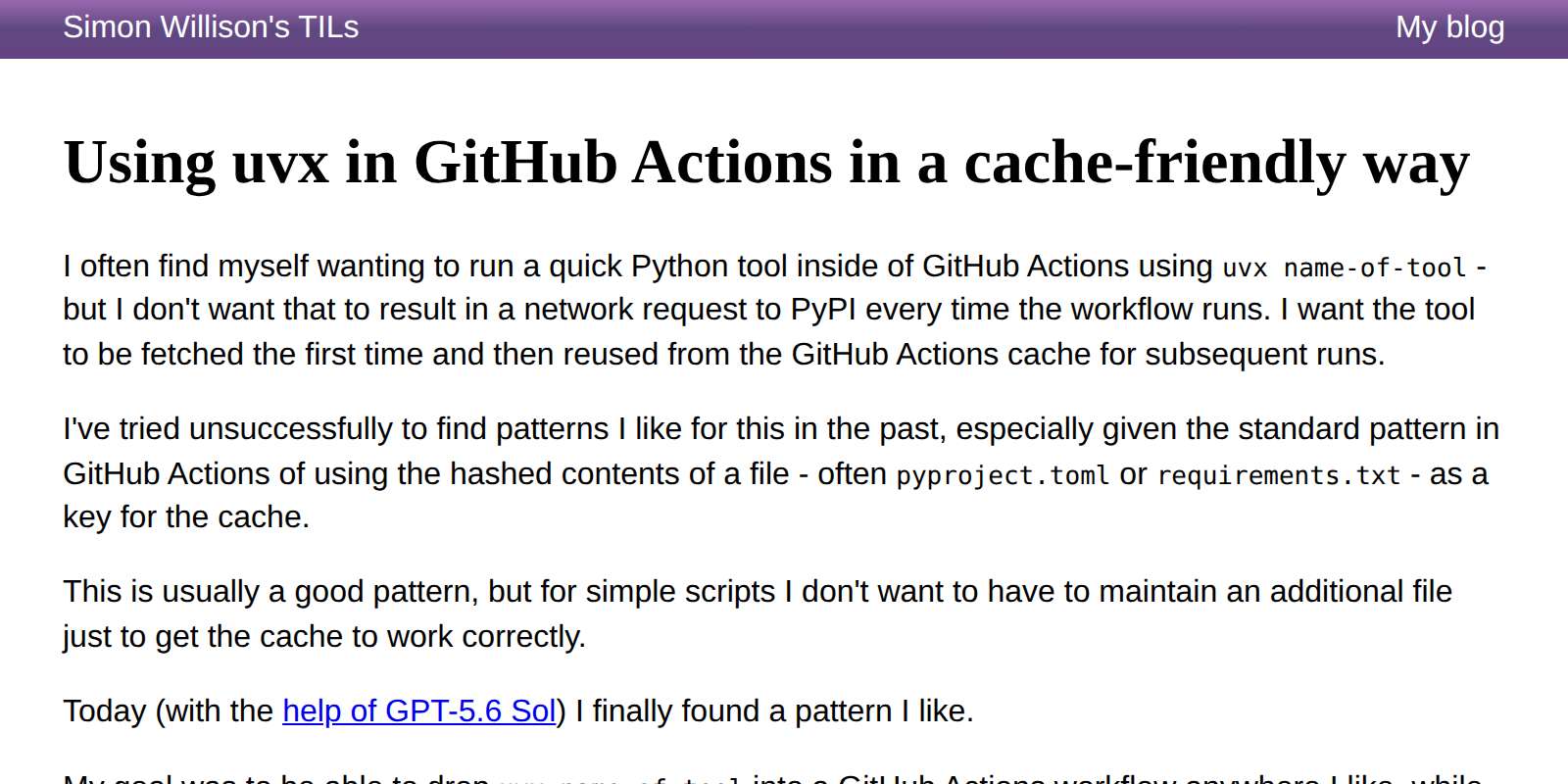
I finally found a cache-friendly recipe for using uvx tool-name in GitHub Actions workflows that I like.
The trick is setting a UV_EXCLUDE_NEWER: "2026-07-12" environment variable at the start of the workflow and then using that as part of the GitHub Actions cache key. This means any uvx tool-name commands will resolve to the most recent version as-of that date, and you can bust the cache and upgrade the tools by bumping the date in the future.
My goal here is to use Python tools in GitHub Actions without every run of the workflow hitting PyPI to download a fresh copy of the tool and its dependencies.
Update: Here's an existing issue against the astral-sh/setup-uv repository requesting that they switch the default to cache rather than purge wheels from PyPI.



Some minor improvements, mainly around command option consistency and making the server: mechanism used by both shot-scraper video and shot-scraper multi work if the server takes longer than a second to start serving traffic.
server:processes used byshot-scraper multiandshot-scraper videonow wait up to 30 seconds for the target URL to accept connections, polling for port availability and replacing the previous fixed one-second delay. #197- The
shot-scraper,html,accessibilityandharcommands now have a--js-fileoption for loading JavaScript from a local file, standard input orgh:username/script, as an alternative to--javascriptwhich accepts the string of JavaScript directly as an argument. #192shot-scraper multisupports the equivalentjs_file:YAML key.- The
shot-scraper javascriptandshot-scraper htmlcommands now have a--timeoutoption for consistency with other commands. #118
Mainly a fix for an edge case that regular Claude chat spotted while experimenting with the 4.1 release to answer a question about ON DELETE.
table.transform()now raises aTransactionErrorif called while a transaction is open withPRAGMA foreign_keysenabled and the table is referenced by foreign keys with destructiveON DELETEactions -CASCADE,SET NULLorSET DEFAULT. The pragma cannot be changed inside a transaction, so previously dropping the old table as part of the transform could fire those actions and silently delete or modify referencing rows. See Foreign keys and transactions for details and workarounds. (#794)- The CLI and Python API documentation now cross-reference each other: CLI sections link to the equivalent Python API functionality and Python API sections link back to the corresponding CLI command. (#791)
The first dot-release since 4.0 a few days ago, introducing a number of minor new features.
sqlite-utils insertandsqlite-utils upsertnow accept a--codeoption for providing a block of Python code (or a path to a.pyfile) that defines arows()function orrowsiterable of rows to insert, as an alternative to importing from a file. (#684)
sqlite-utils already had features that allow you to pass blocks of Python code as CLI arguments, for example this one for the sqlite-utils convert command:
sqlite-utils convert content.db articles headline '
def convert(value):
    return value.upper()'
Allowing blocks of code to generate new rows directly was on obvious extension of that pattern:
sqlite-utils insert data.db creatures --code '
def rows():
    yield {"id": 1, "name": "Cleo"}
    yield {"id": 2, "name": "Suna"}
' --pk id
sqlite-utils insertandsqlite-utils upsertnow accept--type column-name typeto override the type automatically chosen when the table is created. This is useful for CSV or TSV columns such as ZIP codes that look like integers but should be stored asTEXTto preserve leading zeros. (#131)
A long-standing feature request which turned out to be a simple implementation.
- New
table.drop_index(name)method andsqlite-utils drop-indexcommand for dropping an index by name. Both acceptignore=True/--ignoreto ignore a missing index. (#626)sqlite-utils querycan now read the SQL query from standard input by passing-in place of the query, for exampleecho "select * from dogs" | sqlite-utils query dogs.db -. (#765)
Two more small features. I had Codex review all open issues and highlight the easiest ones!
sqlite-utils upsertcan now infer the primary key of an existing table, so--pkcan be omitted when upserting into a table that already has a primary key.
Another Codex suggestion, an obvious missing CLI feature from a Python library improvement that shipped in the 4.0 release.
table.transform()andtable.transform_sql()now acceptstrict=Trueorstrict=Falseto change a table’s SQLite strict mode. Omitting the option preserves the existing mode. (#787)- The
sqlite-utils transformcommand now accepts--strictand--no-strictto change a table’s strict mode. (#787)
These two were inspired by Prefer STRICT tables in SQLite by Evan Hahn, which did the rounds on Hacker News today. Evan pointed out that:
Unfortunately, I don’t think there’s a way to ALTER a table to make it strict. I think you have to copy the data out of the non-strict table into the strict one.
That's exactly what the sqlite-utils transform mechanism does, so I extended it to add the ability to switch tables from strict to non-strict and vice-versa.
Here's the GPT-5.6 Sol xhigh Codex transcript I used to implement those new strict table features. One of the most useful prompts I ran was this one:
use uv run python -c and manually exercise the new .transform(strict=) option, see if you can find any edge-cases or bugs
Effectively telling the model to manually test its work, outside of the automated tests it had already written. This turned up two minor issues that we then fixed.









Let's LLM run prompts against the new muse-spark-1.1 model.
- Fix for a bug with OpenAI Chat Completion endpoints where a tool call with empty arguments could result in a JSON error from some providers. #1521
This bug came up when I was testing llm-meta-ai.
The version that retires the library, instead implementing a compatibility shim against the new sqlite-utils 4.0 dependency.
An experimental Web Component built using GPT-5.5 and the following prompt:
let's build a Web Component for embedding code from GitHub
<github-code href="https://github.com/simonw/sqlite-ast/blob/437c759129154f05296324a7f82aa1246340dd14/sqlite_ast/parser.py#L9-L18"></github-code>
It takes URLs like that, converts them to https://raw.githubusercontent.com/simonw/sqlite-ast/437c759129154f05296324a7f82aa1246340dd14/sqlite_ast/parser.py, then uses fetch() to fetch them and displays the specified range of lines - with line numbers, no syntax highlighting though
Show me a preview web browser so I can see your work
Here's what it looks like embedded on this page:
See sqlite-utils 4.0, now with database schema migrations for details.
The last RC before the 4.0 stable release. Mainly implements feedback from a detailed review by Claude Fable 5.
I hoped to release sqlite-utils 4.0 stable this weekend, but as I worked through the backlog of issues and PRs with a combination of Claude Fable 5 and GPT-5.5 the changelog since rc2 kept getting bigger.
The biggest new feature is support for introspecting and creating compound foreign keys - a feature that involves a subtle breaking change to table.foreign_keys and hence needed to land for the 4.0 stable release.
sqlite-utils also now follows SQLite's convention for case insensitive column names, which turned out to touch a bunch of different places at once.






Another Fable 5 experiment. Now that my LLM library has evolved into more of an agent framework it's time to see what a simple coding agent would look like built on it.
I started a new Python library using my python-lib-template-repository GitHub template repository, then ran these two prompts (here's the Claude Code for web transcript):
Write a spec.md for this project - it will depend on the latest “llm” alpha from PyPI and implement a Claude code style coding agent complete with tools for reading and editing files and executing commands
Then:
Commit the spec, then build it using red/green TDD in a series of sensible commits (each with passing tests and updated docs) - occasionally manually test it using the OpenAI API key in your environment
Here's the spec, the resulting README file, and the sequence of commits.
I've shipped a slop-alpha to PyPI, so you can run the new agent like this:
uvx --prerelease=allow --with llm-coding-agent llm code
It's pretty good for a first attempt! Here's the (Fable-authored) README, which lists recipes like llm code --yolo and llm code --allow "pytest*" --allow "git diff*".
It also presents a Python API based around a CodingAgent(model="gpt-5.5", root="/path", approve=True).run("Fix the failing test in tests/test_parser.py") class which I didn't ask for but I'm delighted to see implemented.
Here's the suite of tools it implemented, listed using uvx ... llm tools:
CodingTools_edit_file(path: str, old_string: str, new_string: str, replace_all: bool = False) -> strReplace an exact string in a file.
old_string must match the file contents exactly (including whitespace) and must identify a unique location unless replace_all is true. Returns a diff of the change so it can be verified.
CodingTools_execute_command(command: str, timeout: int = 120) -> strRun a shell command in the session root directory.
Returns combined stdout and stderr followed by an Exit code line. timeout is in seconds (maximum 600); on timeout the whole process tree is killed.
CodingTools_list_files(pattern: str = '**/*', path: str = '.') -> strList files matching a glob pattern, newest first.
Skips hidden directories, node_modules, __pycache__ and (in a git repository) anything covered by .gitignore. Returns at most 200 paths relative to the searched directory.
CodingTools_read_file(path: str, offset: int = 0, limit: int = 2000) -> strRead a text file, returning numbered lines like cat -n.
Paths are relative to the session root. Use offset (0-based first line) and limit (max lines) to page through files too large to read in one call.
CodingTools_search_files(pattern: str, path: str = '.', glob: str = None, max_results: int = 100) -> strSearch file contents for a regular expression.
Returns matches as path:line_number:line, capped at max_results. Use glob (e.g. "*.py") to restrict which files are searched.
CodingTools_write_file(path: str, content: str) -> strCreate or overwrite a file with the given content.
Parent directories are created as needed. Prefer edit_file for modifying existing files.
I tried it out by running llm code --yolo and then prompting:
mkdir /tmp/demo and then in that folder create a simple swiftui CLI app for telling the time in ascii art
Here's the transcript, in which GPT-5.5 reasoning notes that "SwiftUI isn't suitable for a true CLI" and then builds an app that outputs this on swift run AsciiTime:
      █    █████         ████     █             █     ███
     ██    █        █        █   ██      █     ██    █   █
      █    ████           ███     █             █       █
      █        █    █        █    █      █      █      █
     ███   ████          ████    ███           ███   █████
One of this morning's AIE keynotes covered dspy, which reminded me I've been meaning to see if it could help me improve the system prompt used by Datasette Agent - so I fired off an asynchronous research task in Claude Code for web using Claude Fable 5:
Pip install the latest Datasette alpha and datasette-agent and dspy - then figure out how to use dspy to evaluate and improve the main system prompts used by Datasette Agent for the feature where it can execute read only SQL queries to answer user questions about data.
Fable chose to test using GPT 4.1 mini and nano, and identified several promising looking directions for improvements. I particularly like this one:
The schema listing gives only table names; the "don't call describe_table if you already have the information" advice caused column-name guessing (page_count, o.order_id, first_name) and error-retry loops in baseline traces. Either include column names in the prompt's schema listing or soften that advice.






The big new feature is shot-scraper video storyboard.yml, described in detail in Have your agent record video demos of its work with shot-scraper video.
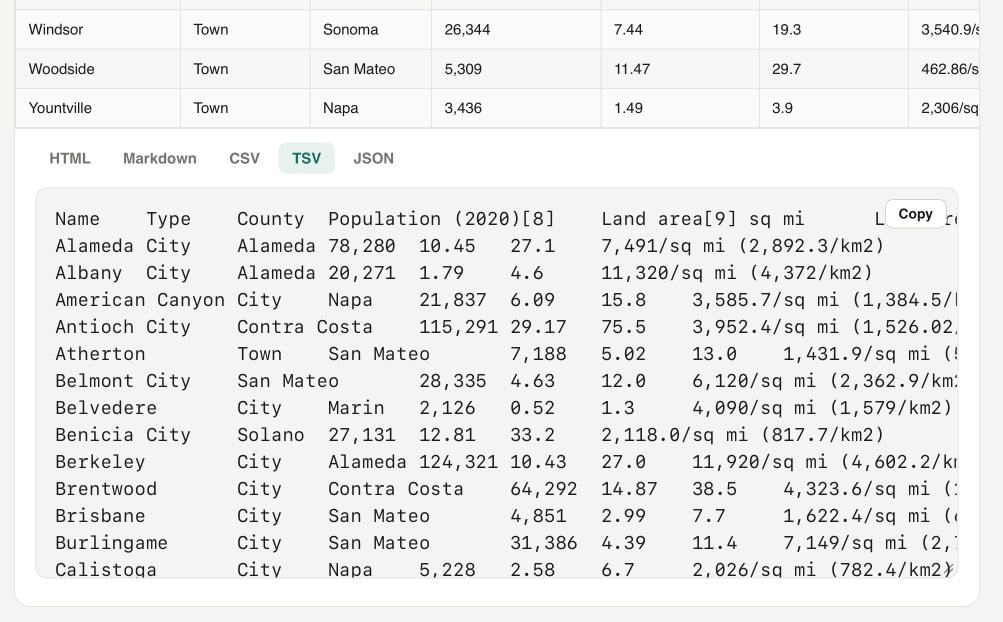
Yet another in my growing collection of paste-conversion tools. This one accepts pasted rich text from browsers (with embedded HTML tables) and converts every detected table into HTML, Markdown, CSV, TSV, or JSON.
Try it out by selecting everything on the Wikipedia List of cities and towns in the San Francisco Bay Area page and pasting it directly into the tool:
On a similar note, I recently rebuilt my Rich text to markdown tool to add support for tables and generally improve the UI.
Update: It turns out Wikipedia has an open CORS API for retrieving the full rendered HTML content of any page - demo here - so I had Codex add the ability to search Wikipedia for a page and then automatically import and display any tables from that page.